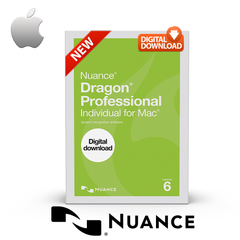
|
The Future of Voice Recognition On The Mac Amazing Accuracy
MacSpeech Dictate will astonish you with its accuracy. You simply talk and leave the recognition to MacSpeech Dictate. MacSpeech Dictate recognizes and understands 13 English language variations including essentially for us Australian English, nine with U.S. spelling and four with U.K. spelling.
In Stock NOW v1.5 !
Essential Command Capabilities
Instead of using your mouse to select menu commands or your keyboard to type shortcuts, just speak a command. MacSpeech Dictate executes it for you. What's more, MacSpeech Dictate understands key commands. With the 'Press The Key' and 'Press The Key Combo' commands, you can enter specific keys and even keyboard modifiers like Command, Option, Shift, and Control. That makes you more productive and MacSpeech Dictate more intuitive. What could be better? Boxed with MacMice MicFlex USB Desktop Mic The MicFlex is a top-quality microphone coupled to a better than CD-quality USB audio conversion circuit (16-bit, 48KHz sampling), both housed neatly in a small aluminum pod at the end of a flexible steel tubing stand. The tube itself is softly satin polished, and is solidly mounted to the same field-proven extra heavy hemispherical silver base we use on our wildly popular SightFlex iSight web camera stand. The flexible tube with the microphone pod stands about 18-inches above the base, and, the tube portion is removable from that base... just pull out the USB-plug terminated tube, and you have a self-contained, portable USB microphone. The hemispherical base has an attached 5-foot long silver/clear braided USB cable. The MicFlex is plug and play compatible with all USB equipped Macs with OS 9.1, 9.2 or OS X 10.1 or higher. It is also plug and play compatible with USB equipped Windows machines. Document Freedom
MacSpeech Dictate works great with most text documents, even those it didn’t create. MacSpeech Dictate can read a document’s contents, or a portion of it, that you can then navigate and edit.
Works With The Apps You Already Have
Microsoft Word, Adobe Photoshop, QuarkXPress, and more. And MacSpeech Dictate works great with Apple’s applications as well, including iChat, Mail, iPhoto, and Keynote, among others.
Spelling A World Of Words
MacSpeech Dictate’s spelling mode lets you easily spell words, names, and acronyms with either natural language or the International Radio Alphabet. You have complete control over every aspect of your speech recognition input.
Make Your Move
You don't need a keyboard or mouse to move around in your documents. MacSpeech Dictate lets you move your cursor forwards, backwards, and much more with just your voice. It helps make editing your documents a breeze.
No Hidden Costs
MacSpeech Dictate includes everything you need to be instantly productive as soon as you start using it, including a high quality headset microphone.
Built Especially For The Mac
Mac users expect only the best from the applications they use on their Macs. MacSpeech Dictate was built from the ground up to ensure the ultimate experience on Mac OS X.
Exceptional Online Help
For those times when you need a little assistance, MacSpeech Dictate boasts a complete online, searchable help book. It’s convenient to use, easy to understand, and all just a mouse click away.
System Requirements
Intel-based Mac with OS X 10.5.6 (Leopard) or greater. Internet connection required for product registration. MacSpeech certified noise-cancelling microphone (included with this purchase). Product sourced in Australia from the official MacSpeech Australian distributor.
|